What Passkeys Actually Replace, and What Still Breaks When You Lose the Phone
When you sign up for an account that supports "passkeys," the process works differently than it does with a password. Instead of a username and password, the authentication…
What’s in this piece
When you sign up for an account that supports "passkeys," the process works differently than it does with a password. Instead of a username and password, the authentication happens through your device, using a cryptographic key pair.
Most of what's going on is essentially invisible to you, an everyday consumer. Your device and the service provider's server manage the credentials.
But there's a major problem: what happens if you lose your device?
How a passkey is split
To understand what's going on, let's look underneath the hood.
When you sign up to a service that supports WebAuthn, your browser asks your device to create a key pair: a public key and a private key
The public key gets sent to the service provider and stored along with your account. That's called the credential public key W3C WebAuthn, 2017-05-05.
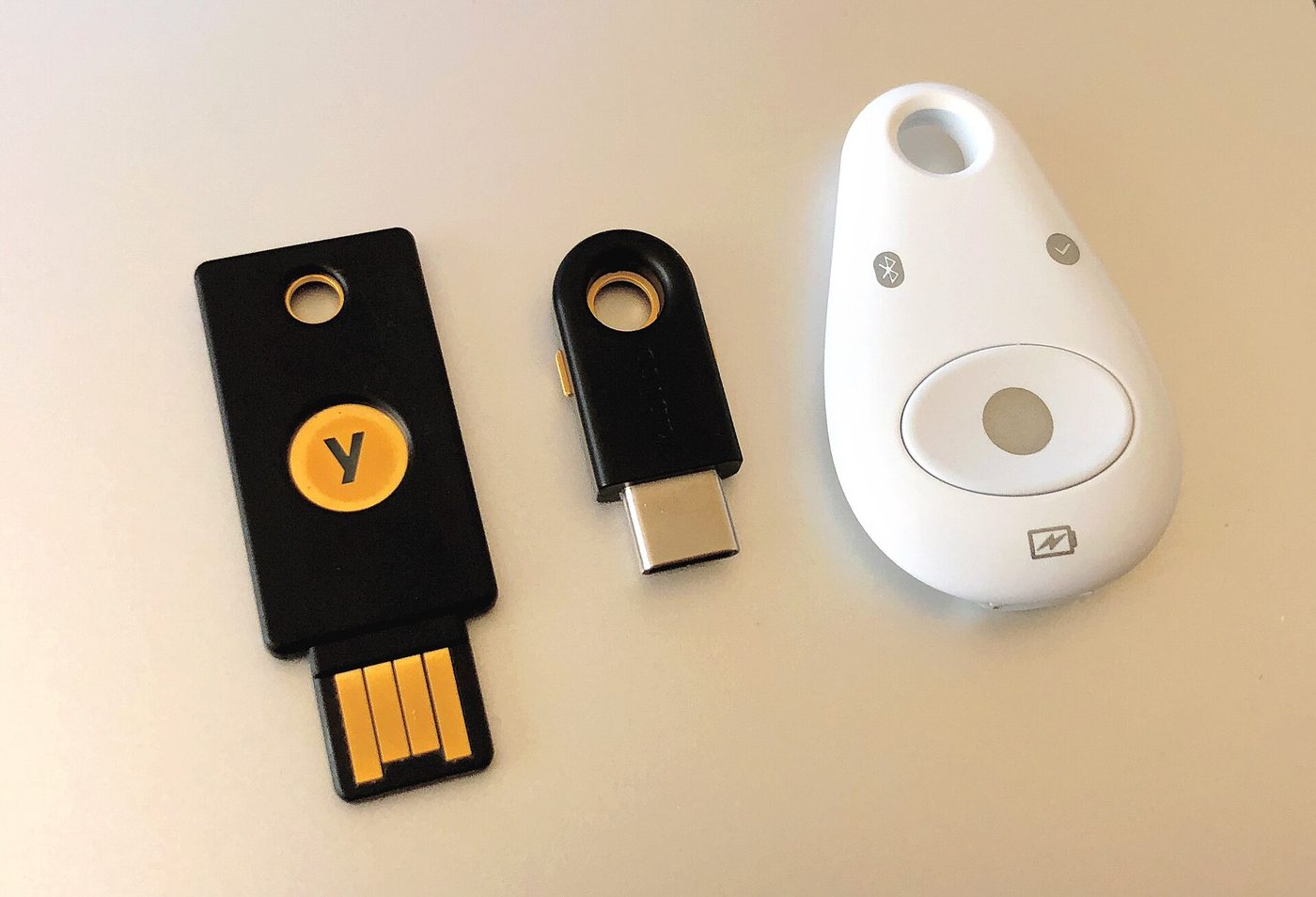
The private key, however, stays on your device, stored in the authenticator W3C WebAuthn, 2017-05-05.
When you log in again, the service provider asks the authenticator for proof that you have the private key that matches its stored public key. The authenticator responds, cryptographically proving it, and the provider verifies the assertion W3C WebAuthn, 2017-05-05.
So far, so good.
What the relying party actually sees
What you essentially have here is a cryptographic credential, scoped to the exact service you're signing up for.
The browser asks the authenticator to create the credential, but even the relying party—even the service you're setting up the account with—doesn't get any properties of the credential, or even know that it exists, when you're using a different service W3C WebAuthn, 2017-08-11.
The browser matches the origin of the webpage to its stored credentials, so it only offers you the keys for the site you're trying to log in to W3C WebAuthn, 2017-08-11.
Essentially, if you're signing in to example.com, it only tries to match the credentials that have a domain of example.com Mozilla MDN, 2024.
If you've used a password manager to fill in a password, the page won't be able to use the passkey, and you'll see the password-focused login flow. The passkey flow is only triggered when you're in a compatible environment.
On the flip side, though, this makes passkeys more consistent than passwords. When you do use a passkey, the page can't trigger a password-only login flow and try to extract your password from the browser. Scoping and context are stronger with passkeys than with passwords.
What “discoverable” means
One thing that makes passkeys hard to think of as "just passwords on your device" is that they operate independently of usernames.
When a page creates a discoverable credential, that credential is associated with the account on that page, not the username you use. So you don't have to remember and type that in Mozilla MDN, 2024.
The browser is allowed to cache the credential ID in local storage to narrow down the choices when you come back to the same page in future. But the browser itself is doing this, not the site W3C WebAuthn, 2017-08-11.
What does "discoverable" mean for passkey creators? Passkeys need to be "discoverable" if you want the user to be able to find them and use them Mozilla MDN, 2024.
Being discoverable means being resident. A resident credential is a credential that stores the credential ID and private key inside the authenticator, in an index that the authenticator can search Mozilla MDN, 2024. That lets the authenticator show the credential to the user, and the user can then choose it to authenticate.
To define discoverable credentials, a relying party should set residentKey to "required" and requireResidentKey to true Mozilla MDN, 2024.
Discerning the exact details of how and where the credential ID is stored depends on the platform. Some manage it in local storage in the browser, others manage it in system-level key storage. But fundamentally, the browser on the device responds to an assertion request from the relying party, searches for a matching credential ID, and sends the appropriate assertion W3C WebAuthn, 2017-08-11
What syncing changes
All of the above assumes your authenticator is local to the device. When the authenticator is something like an iOS device or a Google Android device, though, you can share credentials across devices.
Recently, the NIST announced a way to standardize exactly how this works. The National Institute of Standards and Technology develops cybersecurity standards and guidelines(https://csrc.nist.gov/pubs/sp/800/63/b/upd2/final).
The NIST's draft supplement offers specific guidance for agencies that want to adopt "syncable authenticators" NIST CSRC News, 2024-04-18. That's a standard term that includes passkeys.
But the rollout comes with, unsurprisingly, new pages and pages of standards and guidelines NIST CSRC News, 2024-04-18.
Passkeys aren't yet in full enterprise rollout. For one thing, rollout across an organization probably isn't a simple flip of a switch, given all the dependent elements.
But the promise of passkeys suggests it may become a lasting technology.
The ultimate recovery problem
The key problem with passkeys is, perhaps unsurprisingly, when you lose access to the device that has the private keys.
When you lose a password, you can log in to a browser or device that you've used the password on, and likely recover your password by typing it in, or through whatever password recovery flow the site offers.
When you lose a phone or an authenticator, that's much harder.!
Synchronization of passkeys across multiple devices, like Apple and Android already offer, should help with this. But if you lose both the device and the backup...?
These credential pairs aren't tied to your email account W3C WebAuthn, 2017-05-05. They're authenticated against the relying party's RP ID Mozilla MDN, 2024. So account recovery is somewhere between more complex and less available, and standards don't seem to answer the fundamental recovery question.
Luckily, for most of us, most of the time, the answer to questions about account recovery is: if you get this wrong, you're inviting a man-in-the-middle attack. Transaction security may be the primary concern, not just credential possession.
But account recovery, you can do yourself. So stand ready for it, maybe even test it out, and know what you're in for.
You should still have a second authentication factor. You should have a primary user recovery email set up. And you should have some form of multifactor authentication. Just like with passwords.
- 01Security & Privacy
What are dynamic proxies, and are they worth using?
Dynamic proxy servers are a key part of network infrastructure, playing an essential role in ensuring network traffic security, efficiency, and privacy. But what…
- 02Security & Privacy
Privacy by Design in Gambling Apps: A Practical Guide
The email starts like this: “We’re sorry to tell you there was a data breach. Your ID, bank info, and bet history may be exposed.” No team wants to send that note.…
- 03Security & Privacy
KYC and Age Verification Technologies: Balancing Compliance and UX
Your user is almost there. Card is ready. Then the app asks for a selfie and an ID scan. The light is bad. The timer is strict. The user quits. This scene plays out…
- 04Security & Privacy
Responsible Gambling Tools: Tech-Driven Safeguards and Self‑Exclusion
Sunday. Late. One more spin. Then two. You tell yourself you will stop at midnight. Your screen says you can add funds in a tap. Your pulse says “go.” Your plan…